📅 Published: May 2026 | ⏱️ 9 min read | ✍️ RoyalVilla.ie Team
IPTV Ireland has become the most talked-about way to watch television in Irish households — but most articles about it are written for people who already understand the technology. They throw around terms like M3U playlists, Xtream Codes, sideloading, and API logins as if everyone knows what they mean.
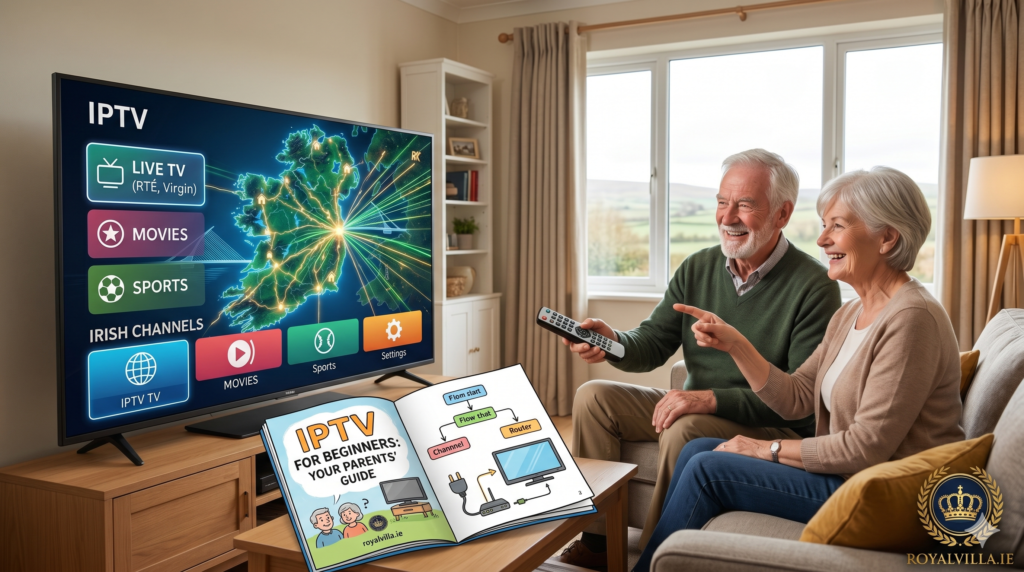
This article is different. We wrote this guide for the person who’s heard about IPTV from their son, their daughter, their neighbour, or their colleague at work — and wants to understand what it actually is, whether it’s worth switching, and how difficult it really is to set up. No jargon. No assumptions. Just plain English, written so you could hand your phone to your mam or dad and they’d understand every word.
If you already know what IPTV is and just want to get started, skip straight to our Subscription page or message us on WhatsApp. For everyone else, let’s start from the very beginning.
What Is IPTV Ireland, in Plain English?
Right now, you probably get your television through one of three ways: a Sky satellite dish on your roof, a Virgin Media cable plugged into your wall, or a basic aerial picking up Saorview. These are all different methods of getting TV signals into your house.
IPTV Ireland is simply a fourth method — one that uses your existing internet connection instead of a dish, cable, or aerial. If you can watch YouTube or Netflix on your broadband at home, you can watch IPTV. It uses the exact same internet connection you already have.
The difference between Netflix and IPTV is that Netflix only gives you movies and series. IPTV gives you everything — live television channels just like you’re used to (RTÉ, BBC, Sky Sports, Virgin Media, all the channels you know), plus a massive library of movies and series on top.
You get a username and password. You type them into a free app on your television, your phone, or a small device plugged into your TV. And that’s it. You’re watching television — all the same channels, plus thousands more.
No satellite dish. No cable engineer coming to your house. No new wires. Just your internet, your telly, and five minutes of setup.
Why Are People in Ireland Switching to IPTV?
The honest answer is money. Most Irish households are paying between €60 and €100 per month for Sky or Virgin Media. That’s €720 to €1,200 per year on television.
An IPTV Ireland subscription from RoyalVilla.ie costs €49.99 for an entire year. That’s not per month — that’s for twelve full months. It works out to €4.17 per month.
For that price, you get more channels than Sky and Virgin Media combined. Every sports channel. Every movie channel. Thousands of box sets. And no contract — you’re not locked in for 12 or 18 months like the traditional providers demand.
People aren’t switching because IPTV is trendy or because they love technology. They’re switching because they’re tired of overpaying. When your neighbour tells you they’re watching the exact same channels as you — plus ten times more — for €50 a year instead of €1,000, it’s hard to ignore.
The Six Questions Every Beginner Asks About IPTV Ireland
We’ve been helping Irish households switch to IPTV for years now, and the same questions come up every single time. Let’s answer them all honestly.
« Is it complicated to set up? »
No. If you can use a TV remote and follow simple instructions, you can set up IPTV Ireland. The entire process takes about five minutes, and our support team on WhatsApp will walk you through every single step if you need help.
Here’s what the setup actually involves: you download a free app (it’s called IPTV Smarters Pro, but you don’t need to remember that — we’ll tell you when the time comes). The app asks for three things: a username, a password, and a web address. We give you all three via WhatsApp. You type them in, press connect, and your channels appear. That’s genuinely it.
If you’ve ever typed a Wi-Fi password into your phone, you have all the technical skill required.
« What do I watch it on? »
Whatever you already have at home. IPTV Ireland works on Smart TVs from Samsung, LG, and Sony. It works on iPhones, iPads, and Android phones. It works on laptops and desktop computers. It works on Amazon Firestick — a small device that plugs into your TV’s HDMI port and costs about €45.
The most popular option in Ireland is the Amazon Firestick because it turns any television — even an older one — into a smart TV that can run IPTV. But if you already have a Smart TV bought in the last five or six years, you might not need anything extra at all.
« What channels do I get? »
Every Irish channel — RTÉ One, RTÉ2, TG4, Virgin Media One, Two, and Three. Every UK channel — BBC One, BBC Two, ITV, Channel 4, Channel 5, Sky One, Sky Atlantic. Every sports channel — Sky Sports, BT Sport, Premier Sports, Eurosport. Every movie channel — Sky Cinema, Film4, and more.
Plus channels from the US, Europe, Asia, and the rest of the world. Over 20,000 live channels in total. And on top of that, a library of over 80,000 movies and TV series you can watch whenever you want — like having Netflix, Disney+, and Amazon Prime all rolled into one.
All included. No add-ons. No « sports package » or « cinema package » at extra cost. You get everything from day one.
« How good is the picture? »
Just as good as Sky or Virgin Media — often better. IPTV Ireland streams in HD and 4K quality, which means the picture on your television will be crystal clear. The key requirement is a decent broadband connection, and most Irish households in 2026 have more than enough speed.
If your internet can handle Netflix without buffering, it can handle IPTV without any problems.
« What if something goes wrong? »
This is where RoyalVilla.ie is genuinely different from most IPTV providers. We have a dedicated Irish support team available 24 hours a day, 7 days a week, on WhatsApp. Not a chatbot. Not an email you send and hope someone reads next week. A real person who responds within two minutes and walks you through any issue.
If a channel isn’t loading, if your app needs a refresh, if you’re stuck during setup — one WhatsApp message and we sort it. Most issues are resolved in under five minutes.
« Is there a contract? »
No. Zero contract. You pay for the period you choose — 1 month, 3 months, 6 months, or 12 months — and that’s it. When it runs out, your service stops. No automatic renewals. No surprise charges on your card. No cancellation fees. No phone calls to cancel where they try to convince you to stay.
If you want to renew, you just message us on WhatsApp and we set it up again in minutes. If you don’t, you owe us nothing.
What It Costs — Straight Numbers, No Tricks
Here are the four IPTV Ireland plans from RoyalVilla.ie. Every single plan includes the exact same content — all 20,000+ channels, all movies, all sports, all features. You’re only choosing how long you want it for:
1 Month — €14.99. Best for trying the service for the first time. No commitment, no risk.
3 Months — €29.99. Works out to €10 per month. A good option if you want to test it through a full season of sport.
6 Months — €39.99. Works out to €6.67 per month. Solid middle ground between flexibility and value.
12 Months — €49.99. Works out to €4.17 per month. This is our most popular plan because the value is extraordinary — less than the price of a pint per month for unlimited television.
Compare that to your current Sky or Virgin Media bill. The average Irish household saves between €700 and €1,000 per year by switching. See all plans on our Subscription page.
A Step-by-Step Walkthrough for Someone Who’s Never Done This Before
Let’s walk through the entire process from start to finish, as if you’ve never touched an IPTV service in your life.
Step 1: Decide What Device You’ll Watch On
Look at your television. Is it a Smart TV? If it’s a Samsung, LG, or Sony bought in the last six years, it probably is — you’ll see an app store or a menu of apps when you press the home button on your remote. If it’s a Smart TV, you don’t need to buy anything extra.
If your TV isn’t a Smart TV, or if it’s an older model, the easiest solution is an Amazon Firestick. It’s a small stick that plugs into the HDMI port on the back of your telly — the same port you’d plug a DVD player or games console into. You can buy one in Currys, Argos, Amazon, or Harvey Norman for about €45. It’s a one-time purchase.
Step 2: Choose Your Plan and Message Us
Go to our Subscription page and decide which plan suits you. If you’re unsure, the 1-month plan at €14.99 is perfect for testing. When you’re ready, tap the WhatsApp button or go to our WhatsApp link.
Tell us which plan you’d like. We’ll give you payment details — we accept Revolut, bank card, PayPal, Wise, and more.
Step 3: Receive Your Login Details
Once payment is confirmed, we send you three things via WhatsApp: a username, a password, and a server address. Keep these safe — they’re your key to the service. This usually arrives within two to five minutes.
Step 4: Install the App and Enter Your Details

If you’re using a Smart TV, search for « IPTV Smarters Pro » in your TV’s app store and download it. If you’re using a Firestick, we’ll send you exact instructions on how to install the app — it takes about two minutes.
Open the app. It will ask you to log in. Choose the option that says « Xtream Codes API » (don’t worry about what that means — just tap it). Type in the username, password, and server address we sent you.
Press « Add User » or « Connect. » Your channels will load. You’re done.
Step 5: Watch Television
That’s it. You’ll see your channels organised by category — Irish channels, UK channels, sports, movies, entertainment, kids, international. Browse, pick a channel, and watch. The remote control works exactly like you’re used to. Channel up, channel down, volume, guide.
If you get stuck at any point during these steps — any point at all — message us on WhatsApp and one of our team will walk you through it in real time. We do this dozens of times a day and we’re happy to help.
What About the People in Your House Who Aren’t Tech-Savvy?
This is something the other IPTV Ireland articles never address, and it’s one of the biggest real-world concerns.
You might be perfectly comfortable setting up IPTV yourself. But what about your parents? Your partner? Your grandparents? If you set it up for them, will they be able to use it day to day?
The honest answer is yes. Once IPTV is set up, using it is no different from using any other television. You turn on the TV, open the app (which can be set to launch automatically), and you’re looking at a channel guide just like Sky or Virgin Media. You press up and down to change channels. You press the guide button to see what’s on. You can browse movies by category.
The setup is the only part that requires any technical effort — and you only do it once. After that, it’s exactly like watching normal telly. We’ve set up IPTV for customers in their 80s who now use it every day without any help.
If you’re setting it up for a family member, here’s a tip: put their favourite channels into the « Favourites » list during setup. That way, they can press one button and see only the channels they actually watch — RTÉ, BBC, Virgin Media, Sky One — without scrolling through thousands of options.
The Honest Downsides (Because Nothing Is Perfect)
We’d rather you know the full picture before you switch than discover something you didn’t expect afterwards.
You need reliable internet. If your broadband is slow or drops out frequently, IPTV won’t work well. But most Irish broadband in 2026 — whether eir, Vodafone, Sky, or SIRO — is more than fast enough.
There’s a short adjustment period. The app interface is different from what you’re used to with Sky or Virgin Media. It takes a day or two to get comfortable with where everything is. After that, most people say they prefer it.
It’s not a big-name brand. Sky and Virgin Media are companies you see advertised on billboards and during the rugby. RoyalVilla.ie is a smaller, specialist provider. What you lose in brand familiarity, you gain in personal service — our WhatsApp support is faster and more helpful than any call centre.
Ready to Try It? Start With One Month — No Risk
If anything in this guide has made you curious, the easiest next step is to try our 1-month IPTV Ireland plan for €14.99. That gives you full access to everything — every channel, every movie, every sport — for 30 days with zero commitment.
If you love it (and the vast majority of people do), you can upgrade to the 12-month plan next time for just €49.99 — the best value in Ireland. If it’s not for you, you’ve spent less than the cost of a takeaway and you’re under no obligation whatsoever.
👉 Message Us on WhatsApp — we’ll have you set up in 5 minutes
👉 Contact Our Support Team — available 24/7 for any questions
Check out our other guides on the Blog or read our Terms & Conditions for full transparency.
Published by the RoyalVilla.ie team — making IPTV simple for Irish households since 2021.