📅 Published: May 2026 | ⏱️ 10 min read | ✍️ RoyalVilla.ie Team
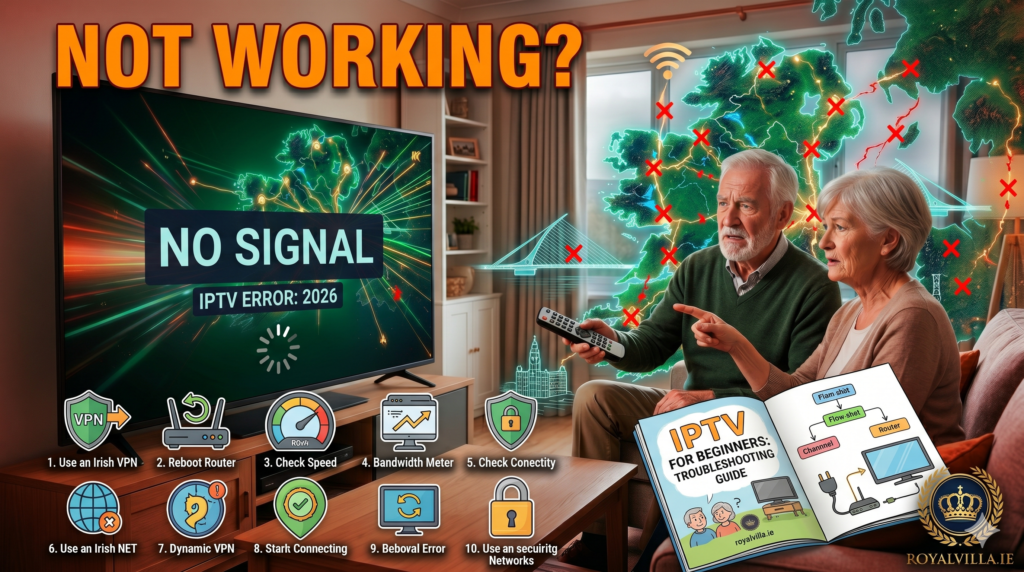
Your IPTV Ireland service was working perfectly last night. Now it’s buffering, freezing, or refusing to load channels — and of course, it’s happening right when you’ve settled into the sofa for the evening.
Before you panic, know this: 95% of IPTV issues in Ireland are caused by something on your end that takes less than two minutes to fix. It’s almost never the IPTV service itself. We’ve supported thousands of Irish customers through every issue imaginable, and the same handful of fixes solve the problem nearly every time.
This guide is specifically written for Irish viewers — with tips tailored to eir, Vodafone, Sky, and SIRO broadband networks, and fixes that work on Firestick, Smart TV, Android, iPhone, and PC. No waffling, no upselling VPN subscriptions. Just the fixes, in order of what to try first.
If you try everything here and still have trouble, our WhatsApp support team is available 24/7 — message us and we’ll sort it personally.
Fix 1: Restart Your Device (Yes, Really)
We know. It sounds too simple. But restarting your streaming device fixes the issue roughly 40% of the time. Firesticks, Smart TVs, and Android boxes accumulate temporary data that eventually causes sluggish performance and buffering.
Don’t just press the standby button on your remote. Physically unplug your Firestick or Smart TV from the wall, wait ten seconds, and plug it back in. This forces a full reboot that clears temporary memory.
For iPhones and Android phones, close the IPTV Smarters Pro app completely — swipe it away from your recent apps — then reopen it.
This single step resolves the problem for a surprising number of our IPTV Ireland customers. If your channels load smoothly after the restart, you’re done. If not, move to Fix 2.
Fix 2: Restart Your Router
Your broadband router is the unsung hero of your IPTV experience — and also the most common cause of streaming issues in Irish homes. Routers provided by eir, Vodafone, and Sky can develop small connection hiccups over time that don’t affect web browsing but absolutely affect video streaming.
Unplug your router from the wall. Wait a full 30 seconds — not 10, not 15, a full 30 seconds. This allows the router’s memory to fully clear. Plug it back in and wait two to three minutes for it to reconnect to your broadband.
Now test your IPTV Ireland service. In most cases, the buffering disappears completely. This fix is especially effective if your IPTV was working fine yesterday but suddenly started struggling today.
Fix 3: Run a Speed Test on Your Actual Device
Here’s a mistake almost everyone makes: they test their internet speed on their phone while their IPTV is buffering on their Firestick in another room. The speed on your phone next to the router tells you nothing about the speed your Firestick is getting.
You need to test the speed on the device you’re actually watching IPTV on. On a Firestick, download the « Internet Speed Test » app from the Amazon Appstore and run it. On a Smart TV, open the built-in browser and go to fast.com.
Here’s what your IPTV Ireland service needs: 10 Mbps minimum for standard HD channels, 15-20 Mbps for Full HD, and 25 Mbps or more for 4K. If your speed on the device is below 10 Mbps, your issue is Wi-Fi signal strength — and Fix 4 will solve it.
Fix 4: Move Your Device Closer to Your Router (Or Use Ethernet)
This is the number one cause of IPTV buffering in Irish homes — and it has nothing to do with your broadband speed or your IPTV provider. It’s Wi-Fi signal strength.
Irish houses — particularly older builds with thick stone or concrete walls — are notorious for blocking Wi-Fi signals. Your router might be in the hall, your Firestick might be in the sitting room two walls away, and the Wi-Fi signal arriving at your device is a fraction of what it should be.
The permanent fix is an ethernet cable. If your Firestick is near enough to your router, buy an Amazon Ethernet Adapter (about €15 from Amazon or Currys) and plug your Firestick directly into the router with a cable. This alone eliminates 80% of all buffering issues. A wired connection is always more stable than Wi-Fi for streaming.
If running a cable isn’t practical, try these alternatives: move your router closer to where you watch TV, buy a Wi-Fi range extender or mesh network system (TP-Link and Google Nest make good affordable options), or at minimum, make sure your Firestick or Smart TV is connected to your router’s 5GHz network rather than the slower 2.4GHz band.
Fix 5: Clear the App Cache
Every time you watch IPTV Ireland, the app stores small bits of temporary data — channel logos, programme guide info, buffered video fragments. Over weeks and months, this cache builds up and can cause the app to slow down, freeze, or behave unpredictably.
On Firestick: Go to Settings, then Applications, then Manage Installed Applications. Find IPTV Smarters Pro (or whichever app you use), select it, and tap « Clear Cache. » Don’t tap « Clear Data » — that will delete your login and you’ll need to re-enter your credentials.
On Android: Settings, Apps, find your IPTV app, Storage, Clear Cache.
On Smart TV: The process varies by brand, but most Samsung and LG TVs let you clear app cache through Settings, then Apps, then the specific app.
After clearing the cache, close and reopen the app. Your IPTV Ireland channels should load noticeably faster.
Fix 6: Switch the Video Player Inside Your App
This is a fix most people don’t know about, but it makes a huge difference. IPTV apps like Smarters Pro have multiple built-in video players — and the default one isn’t always the best for your specific device.
In IPTV Smarters Pro, go to Settings, then Player Selection. You’ll see options like « Native Player, » « VLC Player, » and « Exo Player. » Try switching to a different one than what’s currently selected.
From our experience with IPTV Ireland customers, VLC Player works best on Firestick and most Android devices. Native Player tends to work better on newer Smart TVs. If one player is buffering, switching to another often fixes it immediately — because different players handle video decoding differently.
Fix 7: Check if Your Irish Broadband Provider Is Throttling
This is an issue specific to certain Irish broadband providers during peak hours — typically between 7pm and 11pm when the whole country is streaming. Some ISPs, particularly on congested networks, reduce bandwidth for streaming traffic during these times.
The telltale sign: your IPTV works perfectly during the day and in the morning, but starts buffering every evening at roughly the same time. Your speed test might even look fine, because ISPs can throttle specific types of traffic (video streaming) while leaving general browsing unaffected.
RoyalVilla.ie includes built-in VPN protection with every IPTV Ireland subscription, which helps prevent your ISP from identifying and throttling your streaming traffic. If you suspect throttling, make sure VPN is enabled in your account settings — message us on WhatsApp and we’ll check your configuration.
Fix 8: Update Everything
Outdated software causes more streaming issues than people realise. There are three things that should always be kept up to date:
Your IPTV app: Check the Amazon Appstore (Firestick), Google Play Store (Android), or App Store (iPhone) for updates to IPTV Smarters Pro.
Your device firmware: On Firestick, go to Settings, My Fire TV, About, Check for Updates. On Smart TVs, look for Software Update in the main settings menu.
Your router firmware: This one gets forgotten most often. Log into your router’s admin page (usually by typing 192.168.1.1 into a browser) and check for firmware updates. eir, Vodafone, and Sky routers occasionally push updates that improve streaming stability.
Update all three in one go, restart your device, and test your IPTV Ireland service.
Fix 9: Try a Different Channel to Rule Out a Single Feed Issue
Sometimes a single channel has a temporary issue on the server side — the stream source might be undergoing maintenance, or a specific feed might be experiencing high demand during a major live event.
Before assuming your entire service is down, try switching to five or six different channels across different categories. If other channels work fine and only one or two are affected, it’s a feed-specific issue that typically resolves itself within a few hours. You can also message us on WhatsApp to report it and we’ll check the server status.
If multiple channels across different categories are all buffering, the issue is more likely on your end — go back to Fixes 1 through 4.
Fix 10: The Nuclear Option — Reinstall the App
If you’ve tried everything above and your IPTV Ireland service is still misbehaving, the final step is a clean reinstall of your IPTV app.
On Firestick: Go to Settings, Applications, Manage Installed Applications, find IPTV Smarters Pro, and select Uninstall. Then reinstall the app from scratch using the same method you used originally. Re-enter your username, password, and server URL — the credentials we sent you on WhatsApp when you first subscribed.
This gives you a completely fresh installation with no corrupted cache, no outdated settings, and no accumulated bugs. It’s the equivalent of a factory reset for just the IPTV app, and it works when nothing else does.
If you’ve lost your login credentials, just message us on WhatsApp and we’ll resend them instantly.
The 60-Second Emergency Checklist
Saved this for the bottom because it’s the one you’ll bookmark. When your IPTV starts acting up, run through this in order:
Unplug your Firestick or Smart TV for 10 seconds, plug it back in. Unplug your router for 30 seconds, plug it back in. Wait 2-3 minutes for everything to reconnect. Open your IPTV app and try a channel. If it works, you’re done.
If it’s still buffering: clear the app cache. Switch the video player in app settings. Try a different channel.
If evening-only buffering: check that VPN protection is enabled. Consider an ethernet connection.
Still stuck? Message our team on WhatsApp — we’ll diagnose it in minutes.
When the Problem Isn’t IPTV — It’s Your Broadband
Sometimes the honest answer is that your broadband connection isn’t strong enough for reliable streaming. If your speed test consistently shows below 10 Mbps on the device you’re watching on, no amount of IPTV troubleshooting will fix the buffering.
The good news is that Irish broadband has improved enormously. eir’s fibre network, SIRO’s coverage in regional towns, and Vodafone’s upgrades mean that most Irish households now have access to speeds well above what IPTV requires. If you’re still on an older connection, contacting your broadband provider about an upgrade might be the single best thing you can do for your streaming experience.
Visit our Subscription page to check our plans, or read more helpful guides on our Blog.
Still Need Help? We’re One Message Away
Our IPTV Ireland support team at RoyalVilla.ie is available 24/7 on WhatsApp. We don’t use chatbots or ticket systems. You message us, a real person responds within two minutes, and we sort the issue together — whether it’s 2pm on a Tuesday or 3am on a Saturday.
Read our Terms & Conditions for full transparency about our service.
Published by the RoyalVilla.ie team — keeping Irish households streaming since 2021.